FIRS Tax Management System
A role-based tax administration dashboard for the Federal Inland Revenue Service. National, regional, state and tax-office views of remittance performance, an interactive Nigeria map, and analysis reports exported as PDF or Excel.
- Context
- Built · Contract for Federal Inland Revenue Service
- Period
- Aug 2025 – Jan 2026
- Role
- Frontend Engineer (contract)
- Ownership
- Built
- Platforms
- Web
- Stack
- Next.js, TypeScript, Redux Toolkit, TanStack Query, React Context, Apache ECharts, react-simple-maps, jsPDF, SheetJS, Zod, Tailwind CSS
- Links
- Public demo ↗
What I did
- Built the role-based access control for the user hierarchy, with each role seeing only the dashboards and analysis scopes that apply to it.
- Built the dashboards for tax remittance, collection trends and compliance metrics at national, state and regional level, using Apache ECharts.
- Implemented the interactive Nigeria map showing tax collection by state, region and coordinating unit.
- Created the interfaces officers use to track taxpayer records, payment history and compliance status.
- Built the multi-level reporting system: reports scoped by role, region and access level, exported as PDF or Excel.
- Managed state across roles and hierarchy levels with Redux, alongside TanStack Query for server data.
What came of it
- Four role types share one application. Each lands on its own dashboard and sees only its permitted navigation and analysis scopes.
- The platform is available as a public demo.Source: tax-manager-demo.vercel.app ↗ (opens in a new tab)
Switch the signed-in role
The navigation, landing dashboards and analysis scopes below follow the role rules in the FIRS source code, re-implemented here. Everything else is synthetic: numbers, offices and coordinating units are generated, and the map is a tile cartogram.
Switch roles to see the interface reshape itself, then open the seam to see which components actually re-rendered.
National Dashboard
- >+20%
- >+15%
- >+10%
- >+5%
- >0%
- 0%
- <−2%
- <−5%
- <−10%
- <−15%
- <−20%
Consequence ledger · computed from the two role views
Switch roles above. Each change is listed here, worked out from the role rules rather than written by hand.
My CV describes five user levels (federal, state, regional, coordinating unit, tax officer). The code defines four role identifiers, and "Regional" is a dashboard rather than a role. The replica uses the four from the code.
Decisions behind it
Each approach is verified against the source code. The trade-offs are the reasoning behind each choice. Every decision also appears in Mind, cut through the concerns it touched.
Navigation declared as data, filtered by role
- Problem
- Four kinds of user share one dashboard application, and each should be offered only the areas that apply to them.
- Approach
- Every navigation entry lists the roles allowed to see it. An entry with no list is open to every role. The sidebar filters this one list against the signed-in user's role, which is held in the Redux session store. Verified in code
- Trade-offs
- The rules sit in one reviewable place, and adding a role or a page is a change to data, not to components. The list decides what the interface offers. Which data a role may fetch is a separate concern outside the frontend code reviewed, so the replica below does not model it.
- Outcome
- One configuration drives the sidebar for all four roles. · Source code review · Oct 2026
Each role lands on its own dashboard
- Problem
- After signing in, a state officer and a national user need different starting points.
- Approach
- A lookup maps each role to its home dashboard: national users to National, state users to State, coordination office users to Regional, tax office users to Tax Office. Login routes through it. Verified in code
- Trade-offs
- The first screen is relevant for every role, with no extra clicks. The map has to be kept in step with the navigation rules, since they are two separate lists.
- Outcome
- Sign-in lands each role on the dashboard that matches its scope. · Source code review · Oct 2026
Analysis scopes follow the same rule
- Problem
- The Analysis page can report at national, state, coordination or tax-office level, but not every role should be offered every level.
- Approach
- Coverage areas carry their own role lists and the selector shows only the permitted ones. National coverage is offered to national users only. Tax-office coverage is offered to all four roles. Verified in code
- Trade-offs
- It reuses the navigation's pattern, so the concept is learned once. It is a third list to keep consistent with the other two.
- Outcome
- Report scope options change with the signed-in role. · Source code review · Oct 2026
Three kinds of state, three tools
- Problem
- The app juggles a signed-in session, server data across many endpoints, and per-dashboard filters such as period type and date range.
- Approach
- Redux Toolkit holds the session. TanStack Query holds server data through a shared wrapper that standardises success and error notifications and turns off refetching on window focus. Dashboard-level React Context providers own the filters and derive one memoised set of API parameters for the chosen period type: month, quarter or year. Verified in code
- Trade-offs
- Each tool has one job and server caching stays out of Redux. A Context re-renders every consumer whenever its value changes, which is fine for a filter bar and a handful of widgets but grows with each consumer added. The Lab experiment shows this effect directly.
- Outcome
- Every widget on a dashboard reads the same derived parameters, so a period change applies everywhere at once. · Source code review · Oct 2026
A hierarchy flattened into lookups for the map
- Problem
- The API describes coordinating units, the states they cover and the tax offices within them. The map needs a colour and a tooltip for every state.
- Approach
- The map uses react-simple-maps with a Nigeria GeoJSON in a Mercator projection. The component flattens the hierarchy into memoised lookups (state to units, unit to states, unit to performance), so colouring each state is a lookup rather than a search. Selecting a state or unit opens a detail view. Verified in code
- Trade-offs
- The derivation is recomputed only when the data changes. It runs on the client, which suits 37 states but would need revisiting for local-government-level detail.
- Outcome
- Performance is shown in eleven colour bands from below −20% to above +20%. · Production screenshots
Reports generated in the browser
- Problem
- Officers need to take analysis results away as documents.
- Approach
- Results are previewed first, then exported in the browser: PDF through jsPDF with an auto-generated table, Excel through SheetJS. Verified in code
- Trade-offs
- There is no server rendering or file storage to run, and the export matches exactly what the officer previewed. Both libraries are heavy, which suits an internal tool better than a public page.
- Outcome
- Any analysis can be downloaded as PDF or Excel from its preview. · Source code review · Oct 2026
From the interface
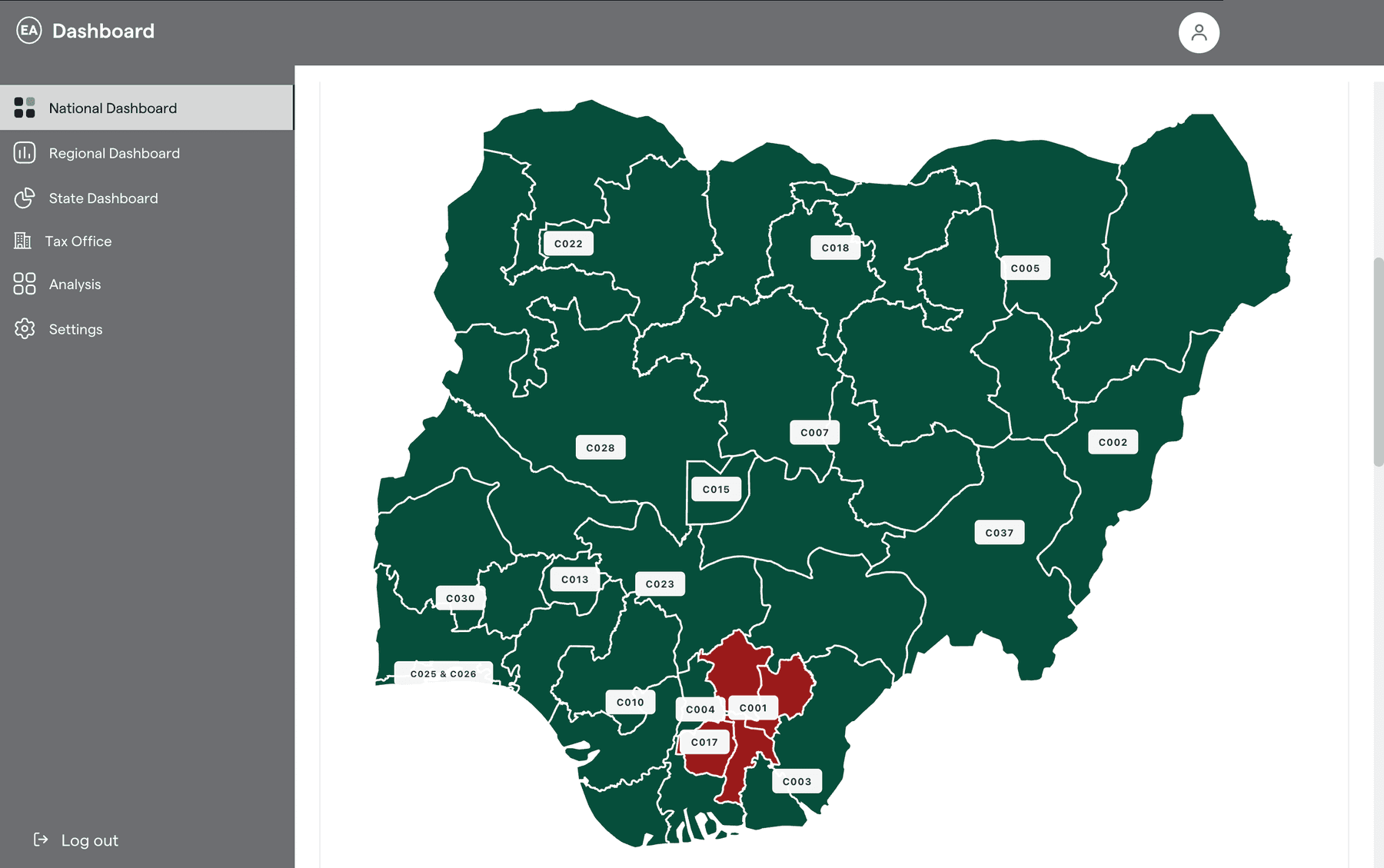
National map by coordinating unitProduction screenshot · redacted 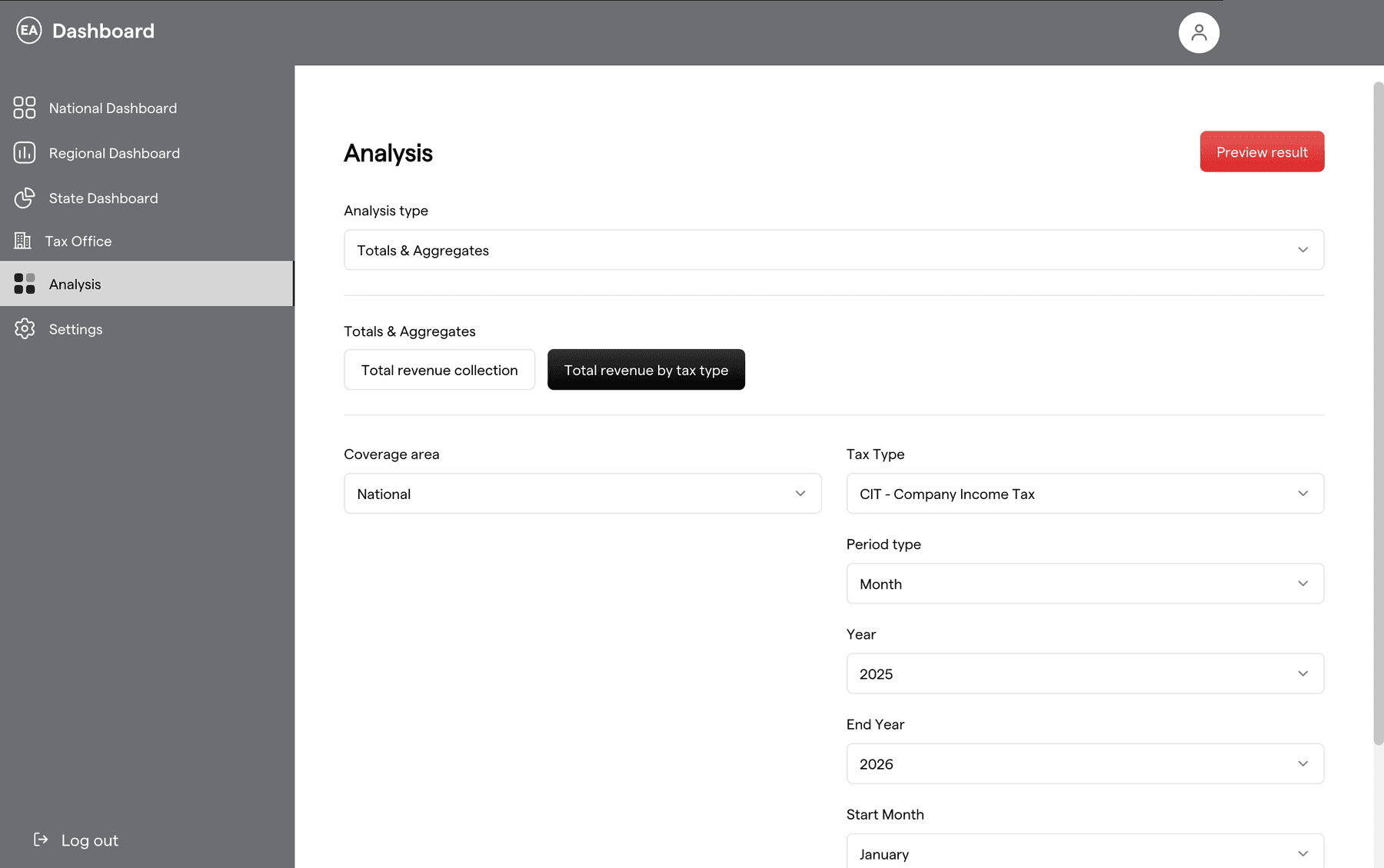
Analysis: coverage options depend on roleProduction screenshot · redacted 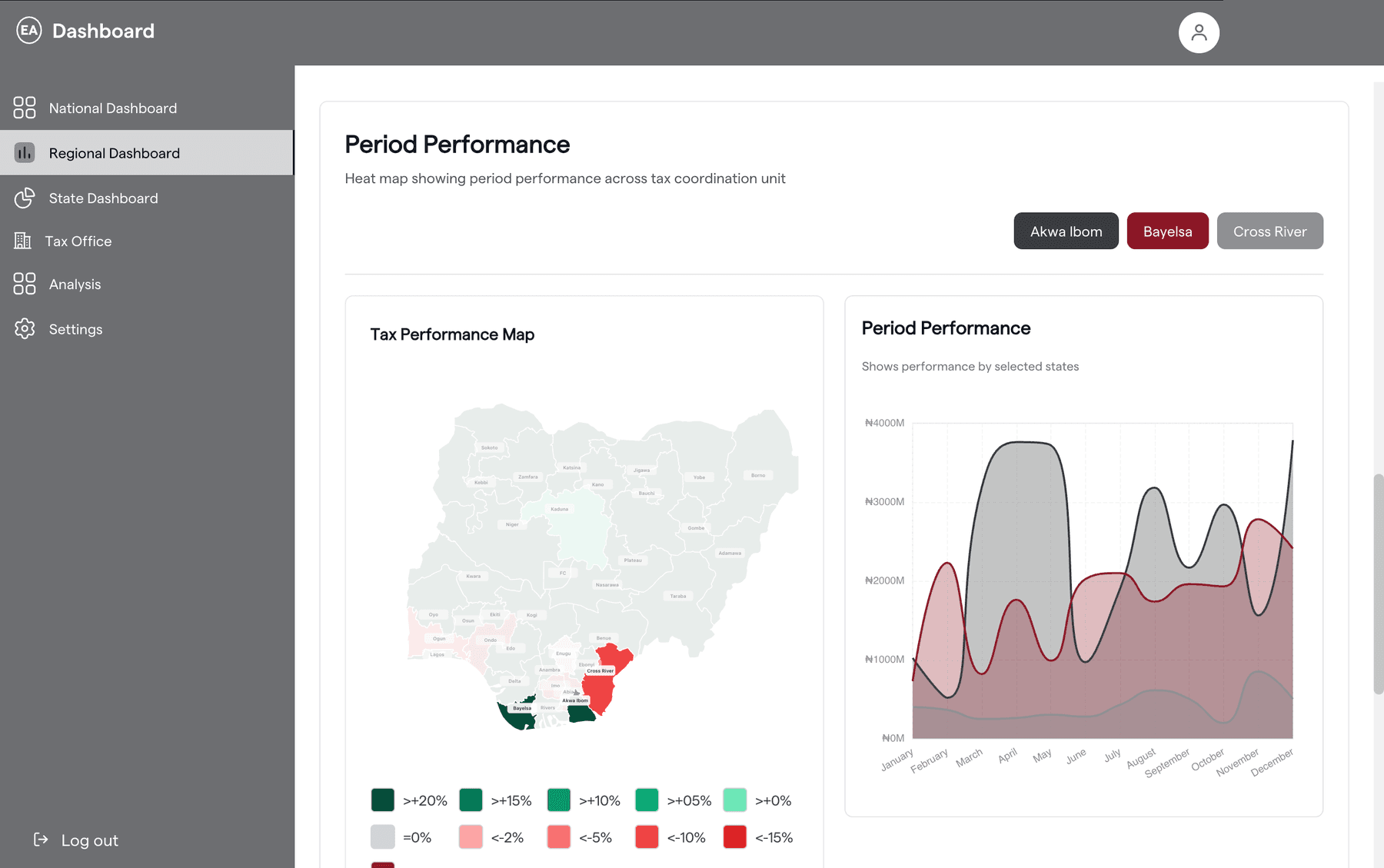
Regional dashboard, selected statesProduction screenshot · redacted 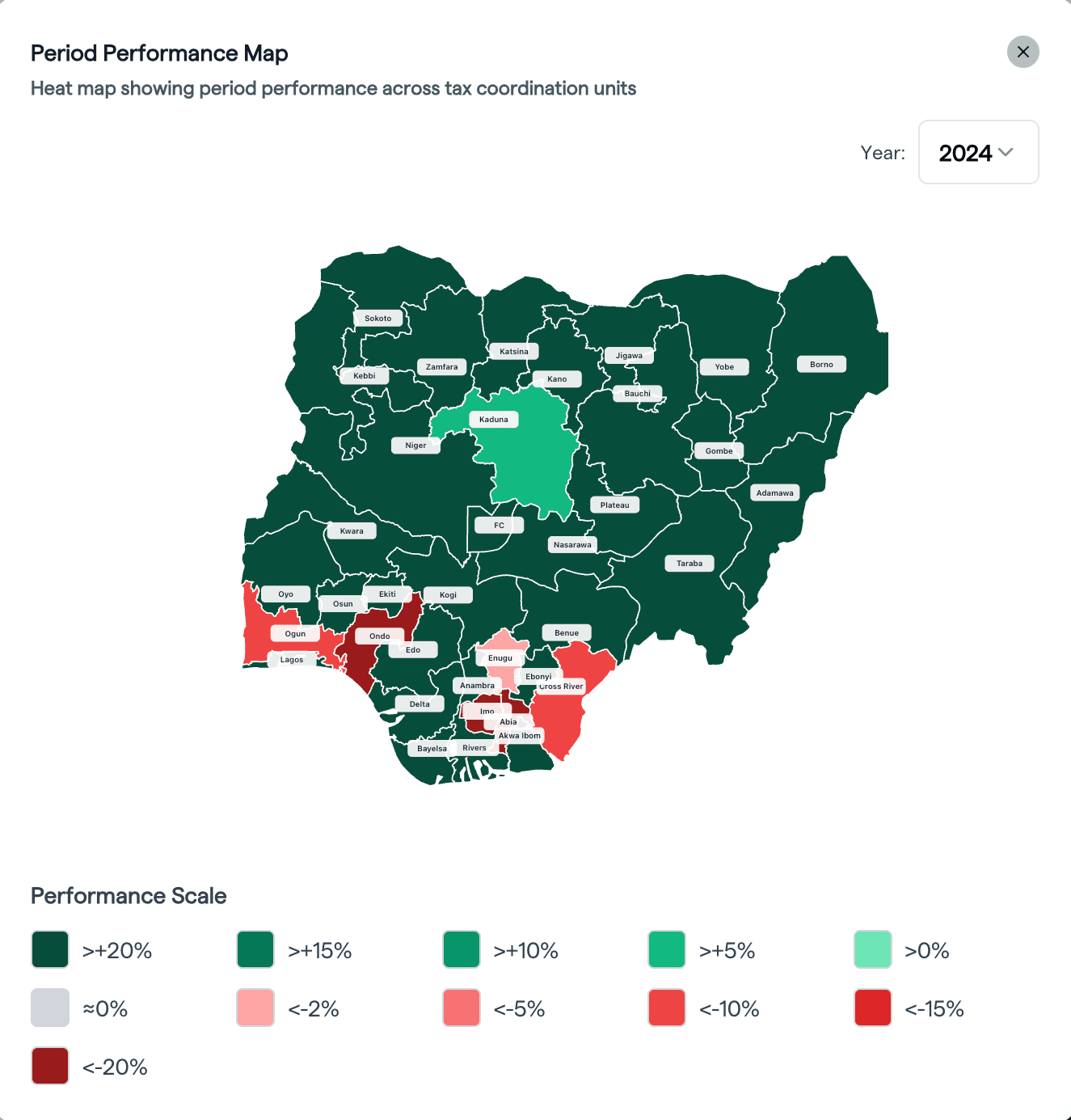
Performance scale legendProduction screenshot 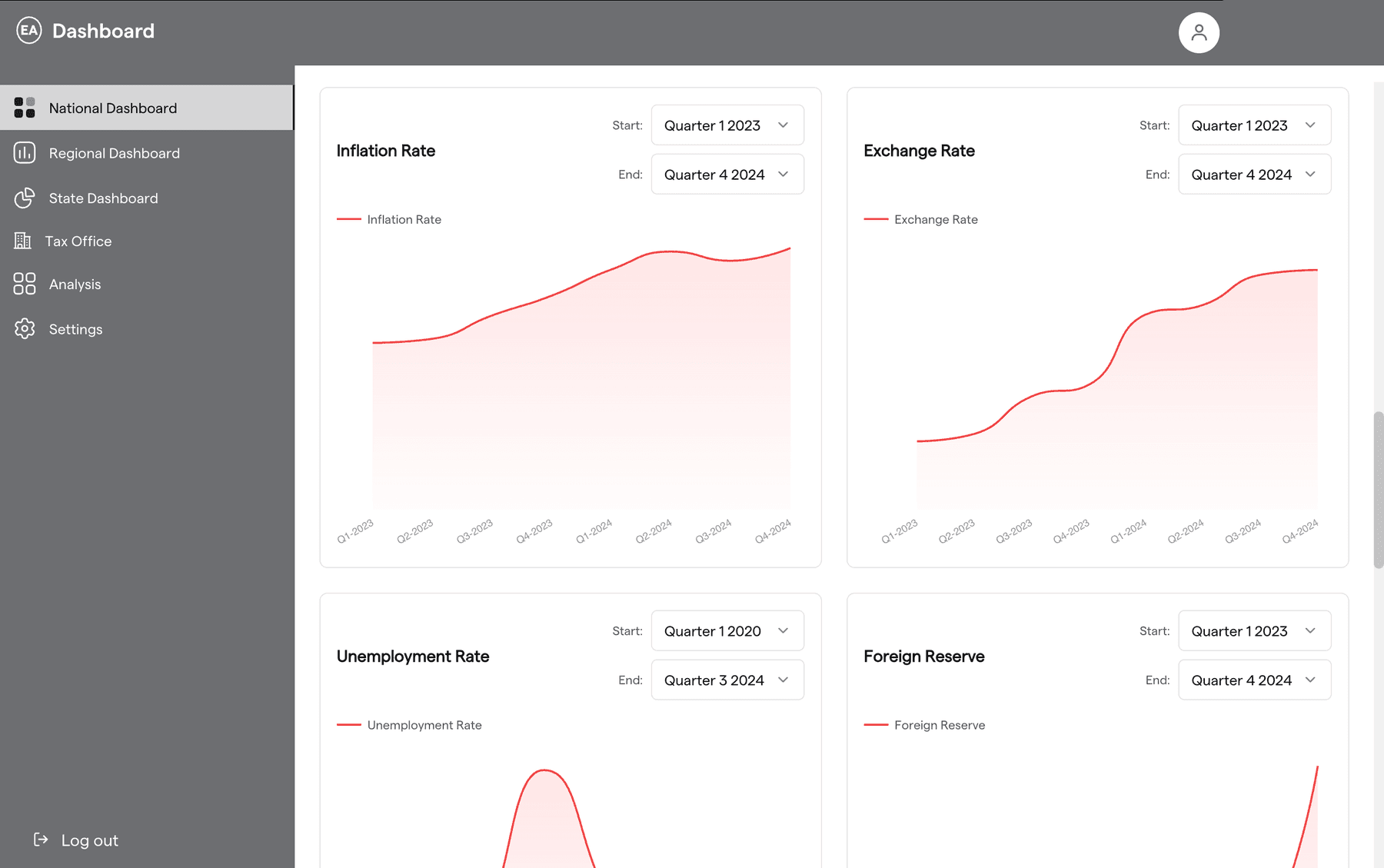
Economic indicatorsProduction screenshot · redacted 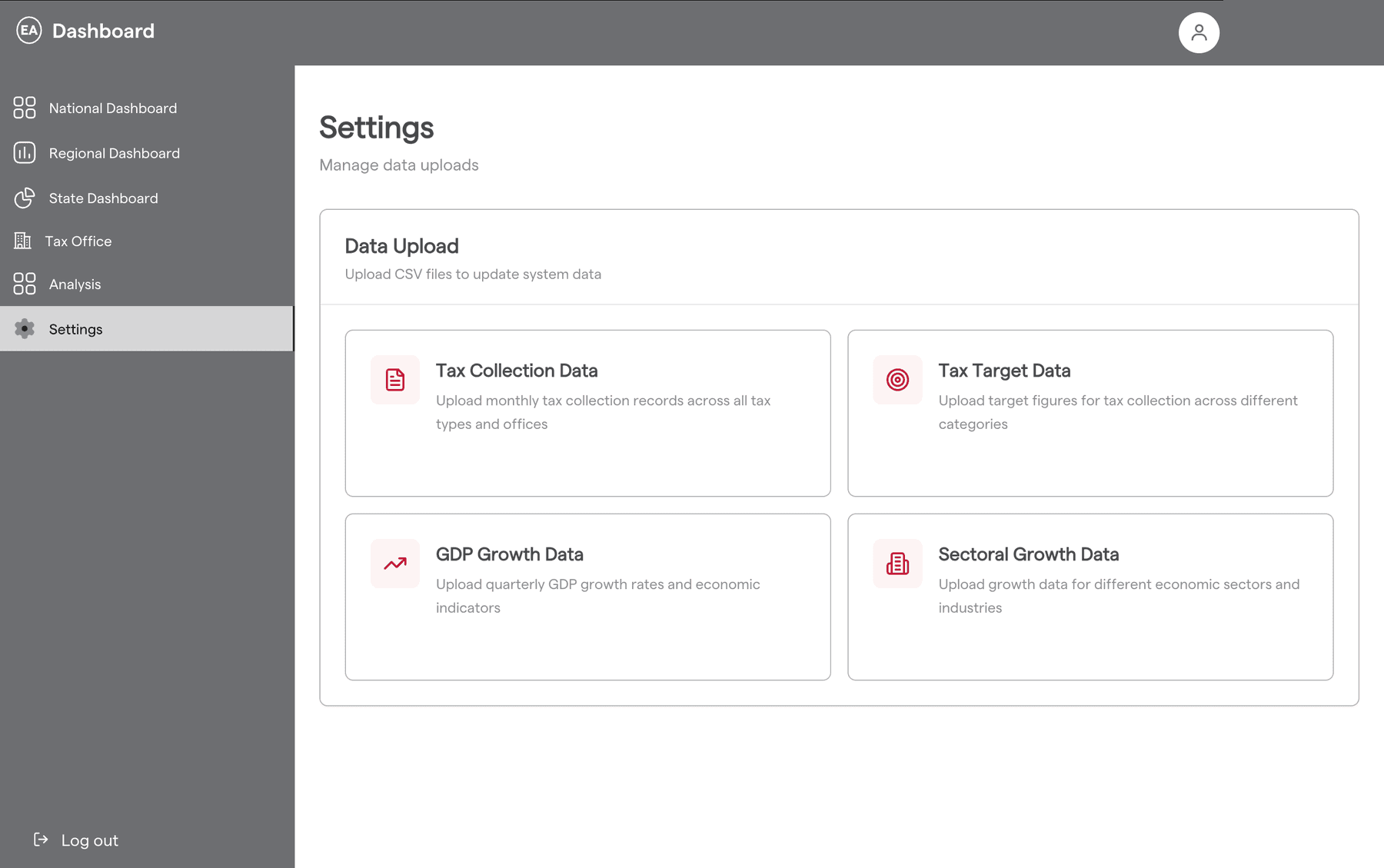
Data uploadProduction screenshot · redacted 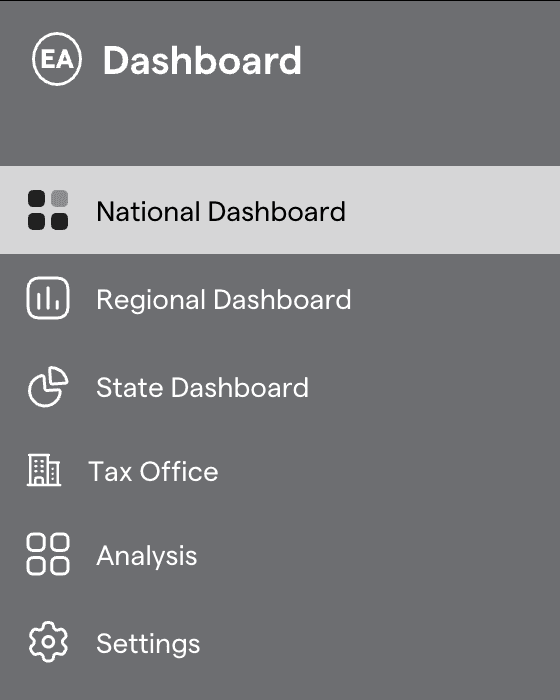
Navigation as seen by a national userProduction screenshot
Redacted: signed-in user's name removed from the header.